Features
Everything that makes up your teaching day
12 feature areas in one continuous flow – from the first planning step to the report grade. What you enter once appears automatically wherever you need it.
Plan & teach
Prepare, run, document
From the daily overview to the finished board work: everything that makes up your teaching works together – without entering anything twice.

Your home screen for the school day: the next lesson with topic, material and room, the day's schedule and the tasks due today at a glance.
Your benefit: You start every lesson prepared and with the right material.

Lessons, appointments, holidays, due tasks and conversations come together automatically – in year, month, week and day views.
Your benefit: One calendar instead of many sources, with no double entry.

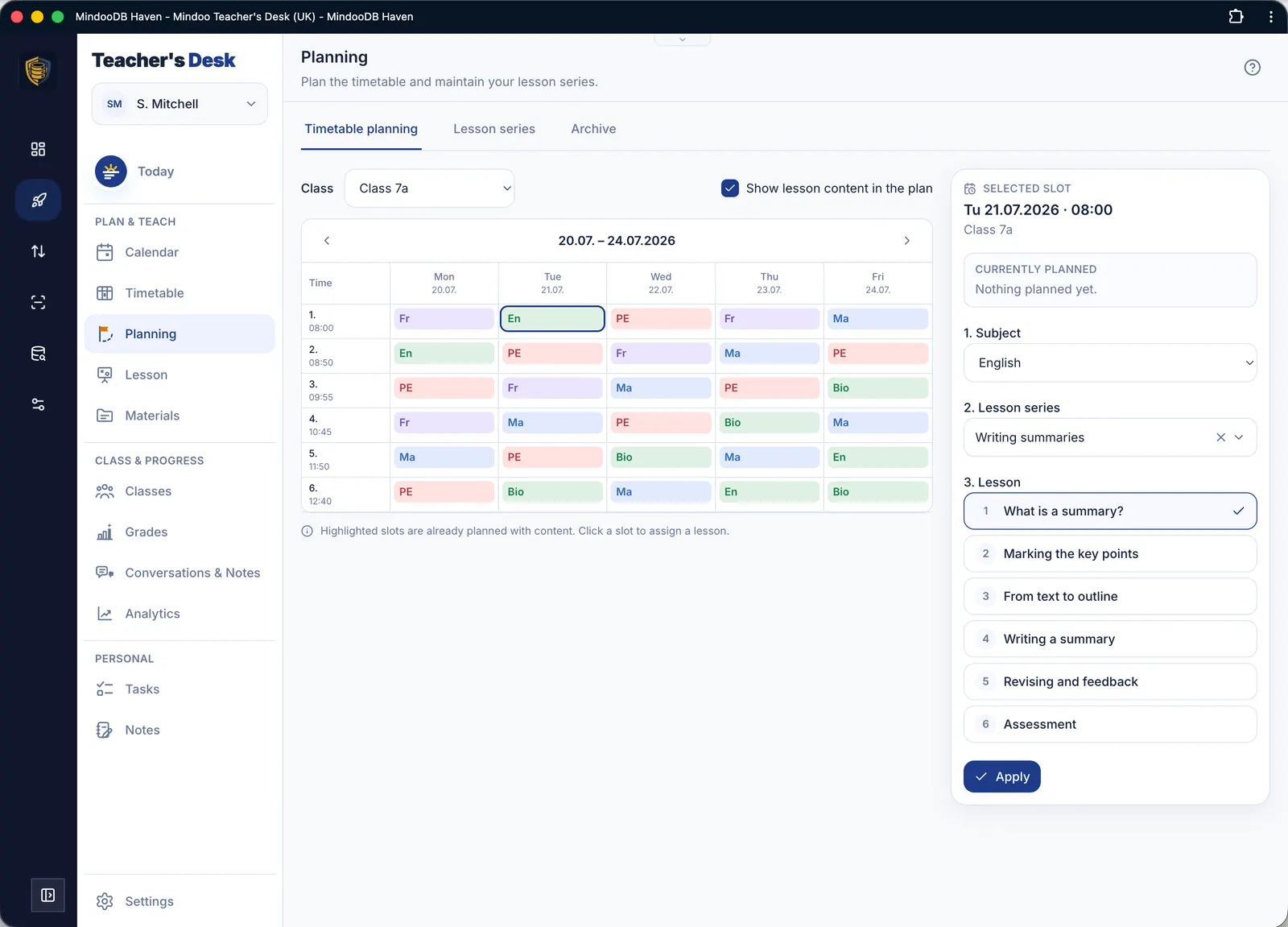
Set up recurring lessons once as a rule (including A/B weeks) – the actual dates appear automatically in the calendar and in “Today”.
Your benefit: Entered once, always up to date – holidays are skipped automatically.

Think of a topic as a scheme of work and spread it across actual dates in a few clicks. Schemes that work well stay available as templates.
Your benefit: You keep the thread running across weeks instead of planning each lesson in isolation.

One screen to prepare, run and document: a lesson clock with phases, board work as a photo or sketch, observations and homework.
Your benefit: Plan, run and document in one place – without switching tools.

Files, links, texts and sketches in one place. Tagged multiple ways and instantly findable over years thanks to full-text and OCR search.
Your benefit: One library for every format that grows more valuable each school year.
Class & progress
Keep track of your teaching groups
Contacts, observations, grades, conversations and analyses work together – for a complete, fair picture of every class.

Contact details, observations, class register, lists and seating plans – everything about a teaching group in one place, with reports and exports at the push of a button.
Your benefit: A complete picture of every class, recurring tasks in a few clicks.

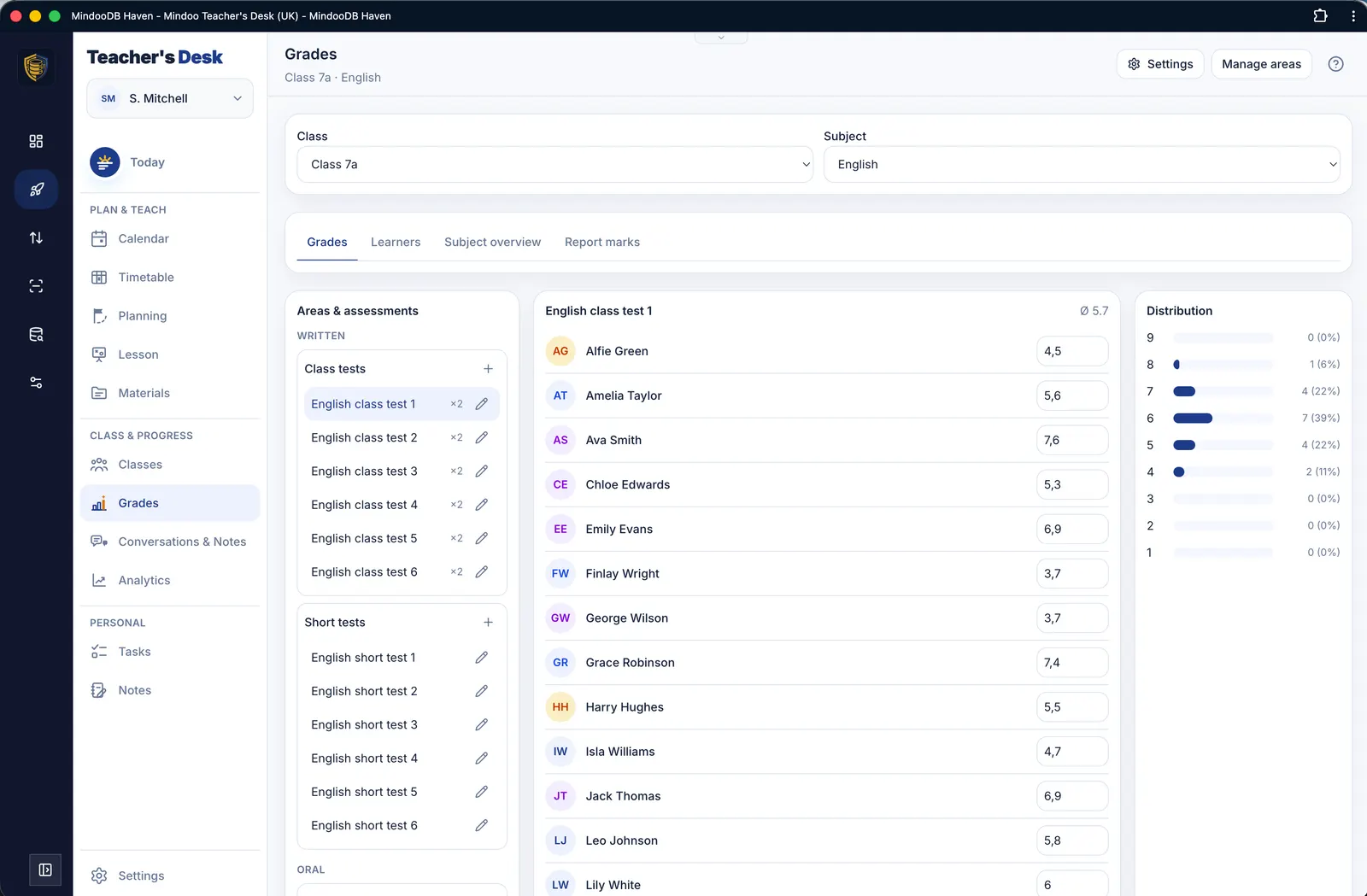
Your grading system, your rules: country-specific presets, an individual assessment structure with weightings, grade boundaries from points or errors and transparent report-grade suggestions.
Your benefit: You start with suitable country profiles and still keep full control.

Prepare, record and follow up parent meetings, learning progress meetings and conversations with colleagues – with templates, agreements and follow-ups.
Your benefit: You go into every conversation prepared and never forget a commitment.

Metrics and trends from your entries – including a working-time analysis to make workload visible and act on it early.
Your benefit: Valuable insights with no extra effort.
Personal
Your personal workspace
To-dos, projects and notes – typed, written or drawn, across devices and version-safe.

Individual to-dos and multi-step projects (task packages) with due dates, priority, progress, follow-ups and templates for recurring items.
Your benefit: Everything in one place, sorted by urgency – big projects become manageable.

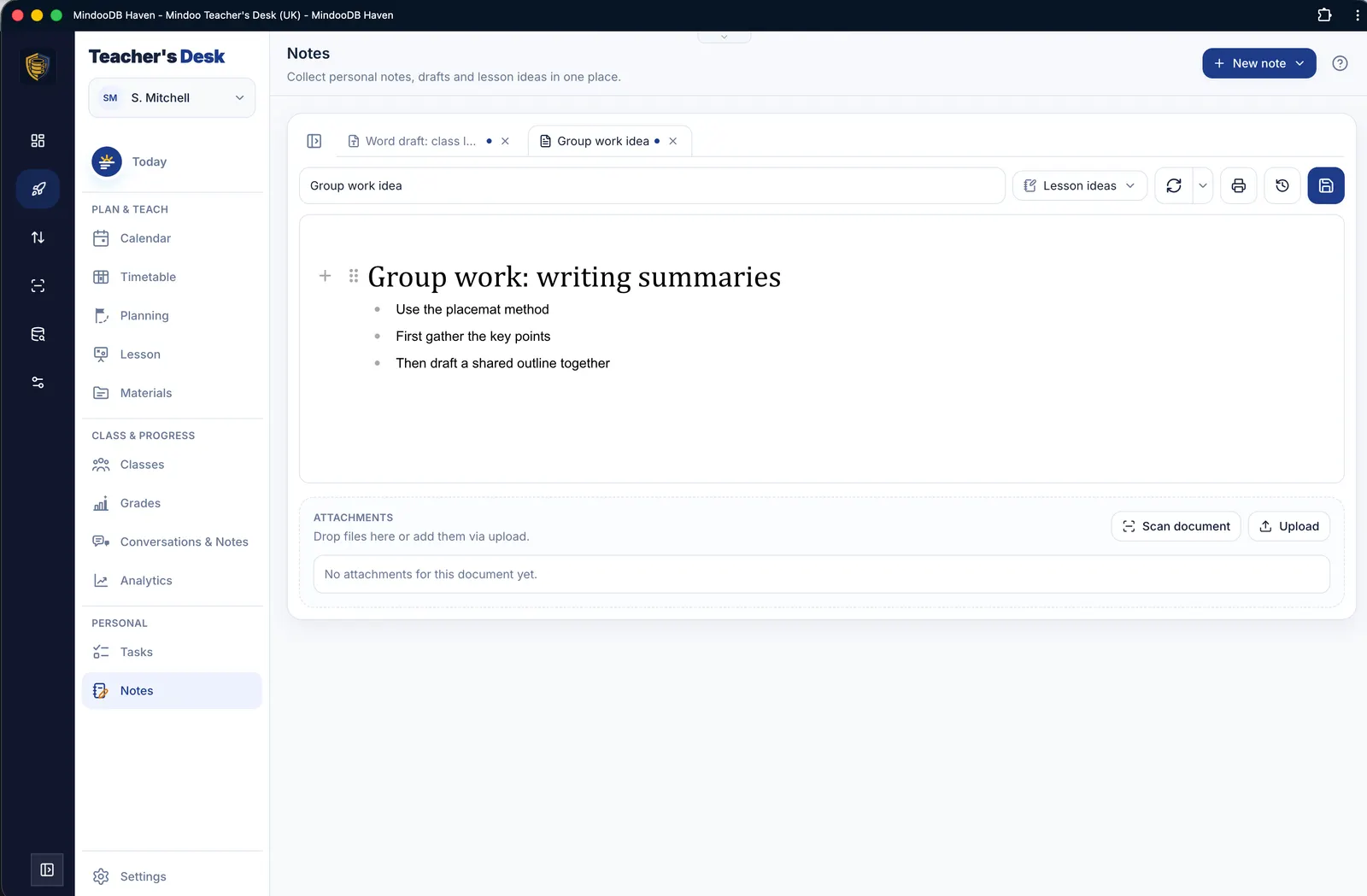
Your personal notebook: Markdown, Word documents and handwritten sketches (for tablet & stylus), organised in notebooks.
Your benefit: One tool for typed, written and drawn notes – nothing gets lost.
Curious?
Try all features for free – with demo data or your own.